






Resolving most common problems
If you need assistance, you can start a chat by selecting the widget found on all pages of the simyousoon.com website. From the app, go to the Help section and then to Chat with us.
You will find automatic answers to the most frequent problems and, if necessary, you can request to speak with an operator. The service is available 7 days a week, 24 hours a day.
You will find automatic answers to the most frequent problems and, if necessary, you can request to speak with an operator. The service is available 7 days a week, 24 hours a day.
What can I do if the connection doesn't activate?
If, when you arrive at your destination country, you can't connect to the Internet:1. turn off Wi-Fi;
2. verify that your eSIM is active from the Simyousoon app;
3. check in your device's settings section, that data is set to the correct eSIM;
4. turn airplane mode on and off from your device;
5. if the connection doesn't activate, manually select the network operator:
- • from iOS: go to Settings, then to Cellular, go to Mobile Data, select the correct eSIM, select Click on network selection and on Turn off automatic selection. Manually select the network operator;
- • from Android: go to Settings, then Connections, go to Mobile networks, then Network operators. Manually select the network operator.
The connection was working but it stopped. Why?
You may have run out of data or your plan has expired or you may have poor network coverage in the place where you areCheck the validity of your plan from the My eSIMs section of the Simyousoon app and check if you need to recharge. If the plan is still valid, try turning airplane mode on and off from your device.
How can I deactivate an eSIM?
To deactivate an eSIM from your device:• for an iOS device:
- • go to Settings;
- • select Cellular;
- • select the eSIM you want to disable;
- • turn off the Turn On This Line option.
• for an Android device:
- • go to Settings;
- • select Connections;
- • open SIM Manager;
- • turn off the eSIM from the selector.
If your eSIM is single-use, after deleting it, you will not be able to reactivate it.
What can I do if iMessage doesn't work?
Check your iMessage settings: verify that it is active and that the phone number and email are correct. Go to the Settings section, select Messages and then Send & Receive to verify that everything is configured correctly.Why is the data I see on my Android device different from the actual data?
On your Android phone you can set a data warning threshold, which is set to 2 GB by default. This threshold doesn't give you an idea of the data that is actually included in your plan.To check consumed and remaining data, access the Simyousoon app and go to My eSIMs.
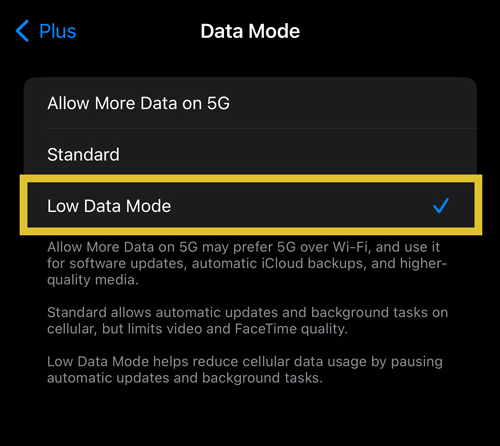
How do I avoid high data usage on an iPhone?
On your iPhone, turn off automatic updates and background app refresh.
Then:
Then:
- 1. go to Settings;
- 2. go to Cellular;
- 3. go to Cellular Data;
- 4. go to Low Data Mode:
How do I avoid high data usage on an Android device?
On your Android device, turn off automatic updates and background app refresh.
Then:
Then:
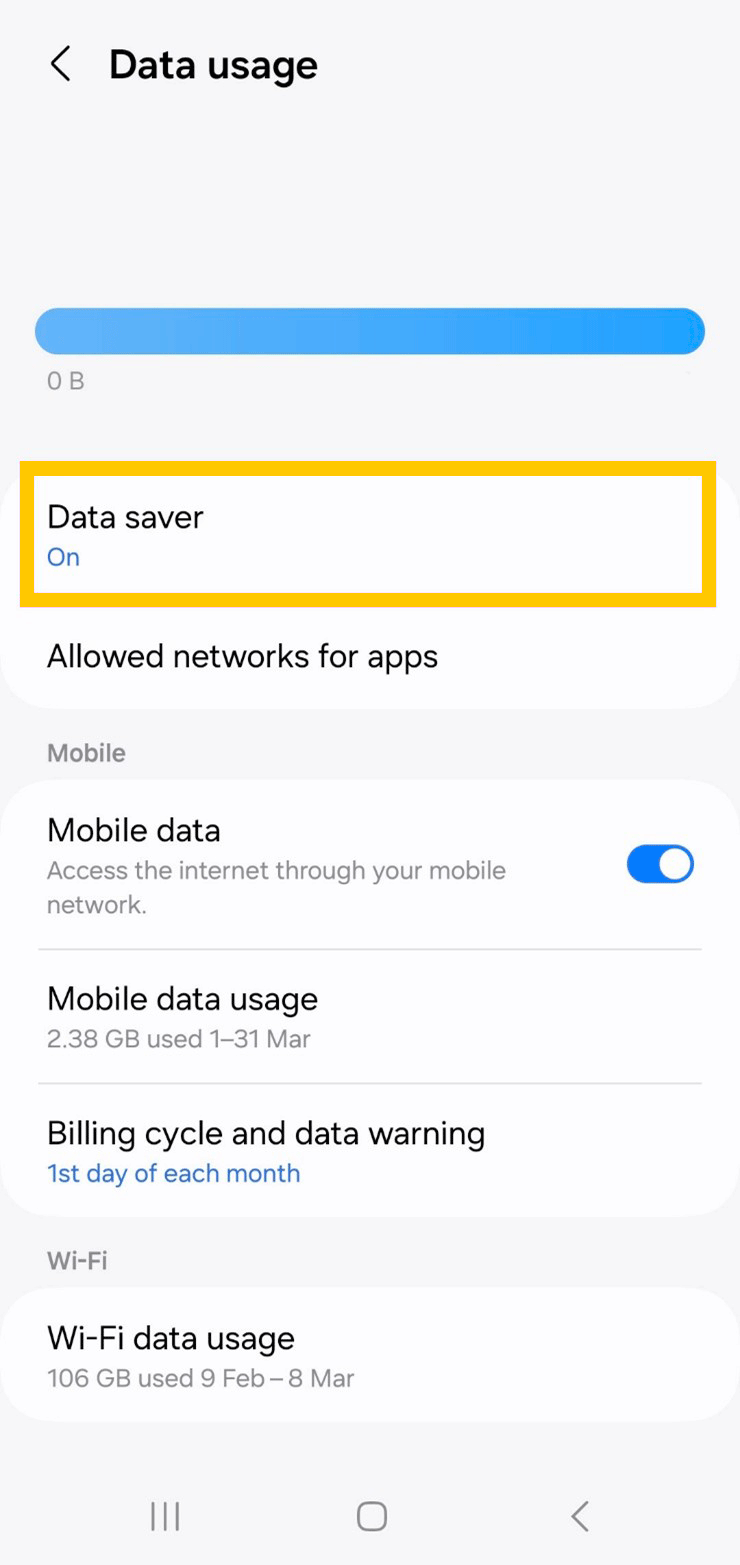
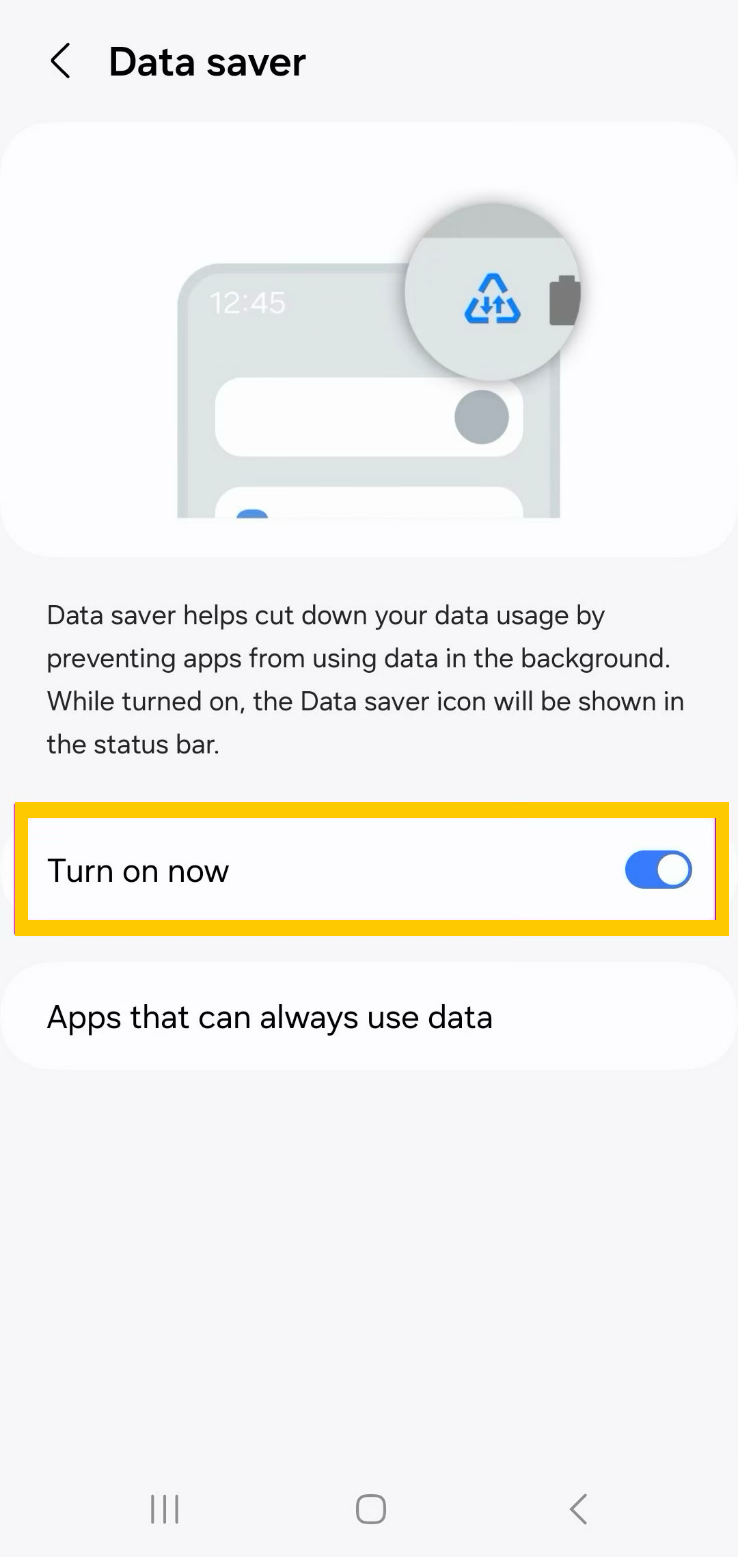
- 1. go to Settings;
- 2. go to Network & Internet;
- 3. go to Data usage;
- 4. go to Data Saver;
- 5. turn it on: